




Home Office Refresh Ideas: What’s Working In Marietta Homes
A few years ago, many of us treated home offices as temporary setups.
You might have slapped a desk into the guest room or taken over the dining table. And you would be thinking it would only last a few weeks.
However, things have changed completely. Remote and hybrid work are here to stay, meaning we spend long hours at our desks every single day.
This is why homeowners around Marietta are realizing that a workspace requires careful planning. It is just like a kitchen remodel.
It is time to focus on comfort, good lighting, and quiet spaces for video calls. If your workspace still feels like a messy, temporary corner, it is time for an upgrade.
Read this article to find out the best home office refresh ideas. This can help you build a productive and beautiful space today.
| Key Takeaways – Lighting remains one of the most effective upgrades for improving comfort and productivity. – Layout changes often create larger improvements than replacing furniture alone. – Acoustic improvements can reduce distractions and meeting fatigue. – Organised storage helps reduce visual clutter and create a calmer environment. – Video-call appearance now affects design choices more than many people expected. – Marietta homes often present unique challenges related to layout, humidity, and natural light. |
Why Most Home Office Refreshes Fall Short?
Many homeowners make the mistake of buying furniture first when planning a workspace.
It feels great to buy a big desk or a fancy chair, but these quick fixes do not always solve the real problems.
In fact, the biggest office headaches usually stem from poor lighting, clutter, and constant noise.
For example, you could buy an expensive chair. However, you still feel completely stressed.
This is because the afternoon sun may blind your eyes, or background noise may ruin your important video calls.
That is why the best home office refresh ideas focus on fixing practical problems before buying decor.
Once your room actually functions well, picking the perfect style becomes easy and fun.
Lighting That Improves Focus and Productivity
Poor lighting can cause eye strain and ruin your focus during the workday.
Thankfully, fixing it is easier than you think. Here are simple ways to make your room brighter and more comfortable:
A. Why One Ceiling Fixture Usually Is Not Enough
Many home offices still rely on a single overhead light fixture.
The problem is that ceiling lighting often creates flat illumination, stronger shadows, and unnecessary eye strain during long work sessions. It can also make video calls look harsh and unbalanced.
Layering multiple sources of light typically yields better results.
A practical setup includes:
- Ambient lighting: Main room lighting from ceiling fixtures or recessed lights
- Task lighting: Desk lamps or focused work lighting
- Accent lighting: Additional light that adds warmth and visual depth
Positioning matters too.
Placing the light in front of you, rather than directly behind you, often immediately improves your appearance during video meetings.
A relatively inexpensive desk lamp with adjustable brightness and color temperature can make a noticeable difference without requiring major electrical work.
B. Choosing The Right Color Temperature
Different lighting temperatures support different activities throughout the day.
- 5000–6500K: Cooler lighting that can help support focus and detailed work
- 2700–3000K: Warmer lighting that feels more comfortable for reading or afternoon work
Instead of choosing one permanently, many homeowners prefer adjustable lighting that changes throughout the day.
Layout And Zoning For Better Productivity
It is hard to stay focused when your workspace feels cramped or disorganized.
You can create a quiet zone that keeps you motivated all day long. You just have to divide your room smartly. Here are the simple tips that you can try to arrange your space:
A. Think Beyond Desk Placement
Desk position affects concentration more than many people realize.
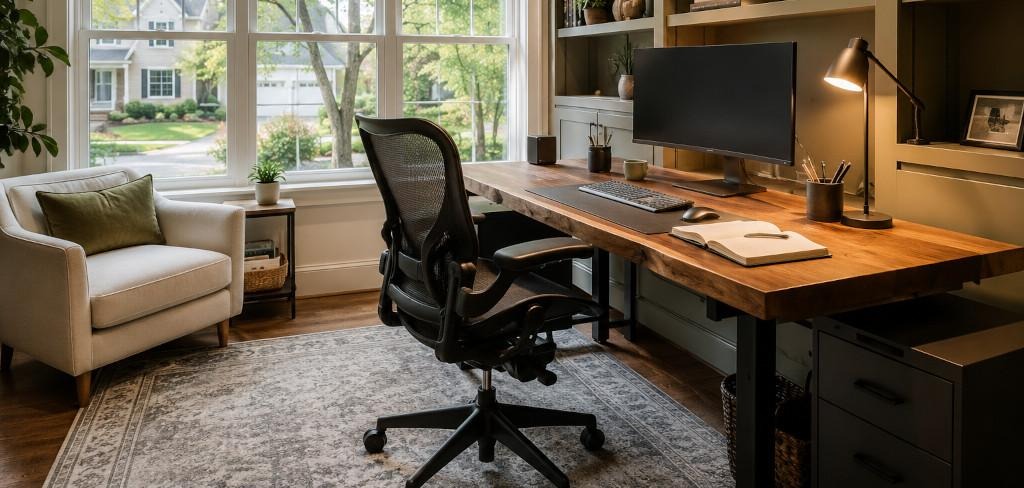
Wall-facing desks reduce visual distractions and can help maintain focus. In smaller rooms, facing toward the room may create a more open feeling.
One arrangement that often creates subtle discomfort is placing your back directly toward the doorway. Many people become distracted by movement behind them without realising why.
If the room limits options, a small mirror positioned strategically can help you become more aware of the space behind you.
B. Create Functional Zones
Even compact rooms benefit from having separate purposes.
Think of the office in sections:
- Focus zone: Main workspace and desk
- Reference zone: Shelves, files, books, or materials used regularly
- Call zone: The area visible during meetings
Creating separate zones helps the room feel organized without adding square footage.
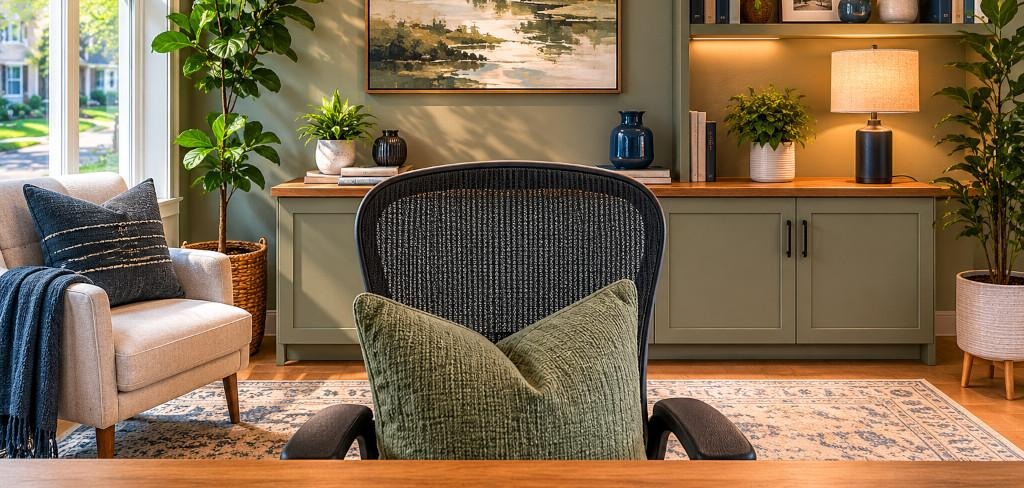
Designing For Video Calls
Home offices have become one of the few spaces people routinely share with coworkers, clients, and colleagues, even through a screen.
Background design matters more than many homeowners expect.
A. Design Choices That Work Well On Camera
Some of the most effective backgrounds include:
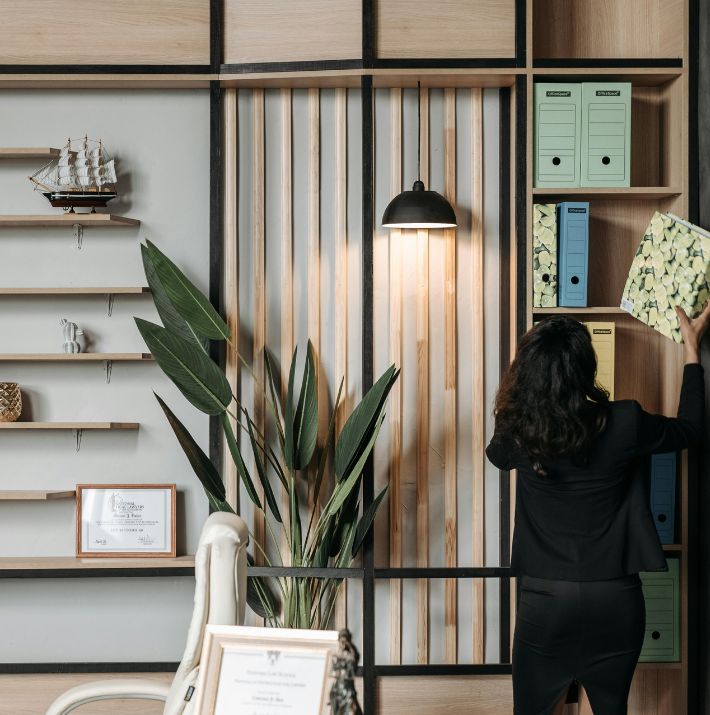
- Organized bookshelves
- Framed artwork
- Simple wall textures
- Neutral decorative pieces
- Plants with moderate visual interest
The goal is not to create a showroom.
One intentional design feature generally performs better than multiple competing elements.
B. Colors That Usually Look Better On Screen
Colors that tend to translate well on camera include:
- Sage green
- Warm taupe
- Dusty blue
- Soft terracotta
Some homeowners also explore design trends like color drenching, which uses varying shades of a single color throughout a room to create a cohesive and visually balanced look. In a home office, this approach can help create a cleaner background that feels intentional without becoming distracting during video calls.
Colors that frequently create problems include:
- Bright white walls
- Highly saturated colors
- Busy patterns
Muted mid-tones usually maintain their appearance more effectively during video compression.
Storage That Reduces Visual Clutter
Clutter affects more than appearance. Constant visual stimulation can become mentally exhausting during a long workday.
A. Built-In Vs. Freestanding Storage
Custom built-ins create a polished appearance, but homeowners do not always need expensive millwork.
Some homeowners achieve surprisingly effective results with simple shelving systems, adding trim and a custom desktop surface.
The goal is to create storage that feels intentional rather than temporary.
B. Don’t Ignore Cable Management
Cable organization is rarely exciting, but it often changes how finished a workspace feels.
Useful upgrades include:
- Under-desk trays
- Cable clips
- Cable management boxes
- Desk grommets
Small improvements often create disproportionately large visual results.
Acoustics: The Upgrade People Forget
Sound quality affects concentration more than many homeowners initially expect.
Rooms with hard flooring, glass surfaces, and empty walls tend to reflect sound, creating echoes and increasing fatigue during meetings.
Fortunately, improving acoustics usually does not require renovation. Helpful additions include:
- Large area rugs
- Floor-to-ceiling curtains
- Upholstered seating
- Fabric wall treatments
- Full bookshelves
Many of these upgrades improve both aesthetics and functionality.
Home Office Design In Marietta
Not every design recommendation applies equally across different areas.
Marietta homes often come with specific characteristics that influence office design.
Older homes built during the 1960s through 1980s may have:
- Smaller windows
- Lower ceilings
- Limited electrical outlets
- More compartmentalized room layouts
Newer homes often create different challenges.
Open-concept layouts can make home offices feel exposed, especially when the space serves multiple purposes.
Many East Cobb homes and bonus rooms above garages, for example, can become noticeably warmer during Georgia summers because of increased roof exposure.
Comfort often becomes a productivity issue that people overlook until they spend full workdays in the space.
During home office updates, homeowners sometimes uncover unrelated issues that affect daily comfort and convenience. Whether it involves improving airflow, addressing electrical concerns, or scheduling appliance repair in Marietta, handling these household needs early can help prevent unexpected disruptions later.
Common Mistakes Homeowners Make
When you are planning to update your workspace, it is easy to make a few wrong turns!
Luckily, you can avoid these common missteps for a successful home office refresh ideas.
When updating your workspace, it is easy to make a few wrong turns. Luckily, avoiding these common missteps is the secret to successful Home Office Refresh Ideas.
Here are the biggest mistakes to watch out for:
- Buying the desk first: Firstly, let your room layout decide your furniture, not the other way around.
- Forgetting about the floor: Secondly, the hardwood floors make rooms loud and cold.
Adding a soft rug instantly improves comfort and absorbs distracting echo.
- Overdoing your video background: After that, you can keep your wall decorations simple so you stay the main focus during important online meetings.
- Ignoring messy cables: The tangled cords quickly make a beautiful room look chaotic. Use simple clips to hide them out of sight.
- Living with noise gaps: Lastly, do not let household sounds ruin your focus. Cheap door seals easily block out loud distractions.




Leave A Reply